


The technical guide
Building a micromouse
Everything we can tell you about getting a robot round our maze on its own: what the rulebook costs your design, what to build, what to write, and how to spend the eight minutes when you get there. Written for this competition, not for micromouse in general. Take the shell off the mouse and pull the robot underneath apart, drag it round a corridor to see what its sensors see, knock walls down and watch the maze re-solve itself.
- The maze
- 10x1018cm cells
- Room to drive
- 159.6mmat its narrowest
- Your match
- 8 minruns and resets
Everything here is written for the MMRC26 maze and the MMRC26 rules. Where a number matters it comes from the rulebook, and where the rulebook and this page disagree, the rulebook wins and the judges have the final say.
None of it is a requirement. The parts, the sensor count, the microcontroller and the robot in the viewer below are one example of a machine that satisfies the rules, and there are many others. Build yours differently and you are still competing exactly as intended.
The job, in one paragraph
Your robot starts in a corner cell with walls on three sides. It has never seen the maze. It has to find the block of four cells at the centre, on its own, with nothing but what it can sense and what it can work out, and then it has to do the trip again as fast as it can. It gets eight minutes at the maze and nobody may touch it while it runs.
Three facts about our competition decide almost every design choice you will make. The maze is 10×10 cells of 18cm. The centre is an island, so the oldest trick in maze solving does not work. And your score is your number of finishes divided by your fastest one, so finishing four times beats finishing once beautifully.
Read the scoring section before you buy anything.
Start with the score, not the robot
Final score = (successful runs ÷ official time) × 1000
Your official time is your fastest run. Every run that reaches the centre counts, including the slow one where you were still mapping. Nothing else on the maze earns anything.
Two mice, same eight minutes. One takes 110 seconds to search and then keeps going: 24 seconds a run, 12 seconds to carry it back and restart it. Ten finishes, fastest of 24, and it still has half a minute spare. That scores 417. The other spends four minutes on a careful search, drives one perfect 18 second run and stops, proud of itself. Two finishes, fastest of 18: a score of 111. The slower mouse wins by a factor of four.
Pull the sliders about and watch what the formula rewards.
The clock runs for all eight minutes, including the resets, the battery change and the one where you crouch down and think.
446s used, 34s left on the clock.
The same mouse, stopping after one speed run, scores 83.3 from 2 runs. Keeping it going scores 416.7 from 10. Same robot, same fastest lap.
Three things fall out of that, and they are worth more than any hardware decision.
Finishing is the product. A mouse that reaches the centre slowly and repeatedly beats a mouse that reaches it quickly and rarely. Build for finishing first, then make it faster.
The reset is part of your run. Carrying the mouse back and restarting it is charged at the same rate as driving. Twenty seconds of fumbling with a switch, six times over, is two minutes of your match. Practise the reset. Put the start button where your thumb already is.
A crash costs twice. It costs the run, and it costs the seconds you spend untangling the mouse. A mouse driving at eighty per cent of the speed it can just about survive will score higher than one driving at a hundred and five.
The maze you are driving in
A 10×10 grid of 18cm cells, 12mm walls, 1.2cm posts where four cells meet, and a 5% tolerance on the cell size. Wall sides are white, wall tops are red, the floor is black.
Measured across 400 randomly generated mazes of our size, the shortest route to the centre is usually about 16 cells, sometimes as few as 8 and sometimes as many as 50. Sixteen cells is under three metres of driving. A full search of the same maze is typically around 88 moves, which is five times as far. That ratio is why search runs and speed runs are two different things.
The centre is an island. Its walls do not touch the rest of the maze. Put one hand on a wall and walk, and you will trace the outside of the maze until your eight minutes are gone. This is not a corner case. It is the single most common way a first-year team scores zero.
Do not trust absolute colours. The maze is painted plywood, and paint fades. A threshold you tuned in your lab under one lamp will not mean the same thing in a hall with sunlight through a window and fluorescent tubes overhead. Calibrate on the day, against the maze you are about to drive.
The floor can be slippery. Whatever acceleration you get on your desk, you will get less on the day.
Sizing the chassis
Here is one machine that does the job, at its real size. It is an example of a sensible first build rather than a design to copy. It arrives wearing a printed shell, because the competition is named after an animal and a green rectangle is a hard thing to love. Switch Mouse shell off and the ears, whiskers and tail lift away to leave the robot that is doing the work. Drag it round, take it apart, and press Show the corridor to stand it between two walls the exact distance apart that the rulebook leaves you. Click any part to read what it is and what to look for when you buy one.
Building the mouse…
Drag to turn · scroll to zoom · click a part
96mm wide and 104mm long over the board, drawn at real size. The corridor it has to fit down is 159.6mm at its narrowest, which leaves 32mm either side, and the ears are tucked inside the wheels so the shell costs none of it. Take the shell off, pull the rest apart, or pick a part to read what it is for.
One way of building a mouse, not the way. Nothing here is required by the rules: build yours however you like, as long as the rulebook is happy with it.
The rulebook's size limit is 25cm on each side. That is the legality check, and it is not the constraint that matters. A cell is 18cm, a wall eats 12mm of it, and the tolerance can take another 5% off. Design to about 160mm of clear road and you will fit whatever they build.
- Gap to drive down
- 159.6 mm
- Either side
- 31.8 mm
- Turns on the spot
- yes
- Inside the 25cm rule
- yes
A sensible fit: room to correct in without wasting the cell.
The dashed circle is what the mouse sweeps turning on the spot. The walls are drawn at their real 12mm, and the gap already has the rulebook’s 5% tolerance taken off it, in the direction that hurts.
Most competitive mice are between 70mm and 110mm wide. Narrow is not about squeezing through: it is about having room to be wrong. A 90mm mouse in a 160mm corridor has 35mm either side, which is enough to absorb a sensor misreading without touching a wall. A 150mm mouse has 5mm, and 5mm is nothing.
Length matters for turning. A mouse that turns on the spot sweeps a circle as wide as its own diagonal. Get that above the corridor width and it will drive perfectly down a straight and jam solid on its first corner. Keep the body short, put the battery in the middle, and leave the overhang for sensors that can afford to be clipped.
Weight is the other half. Every gram has to be accelerated and then stopped, and stopping is the hard part. A 100g mouse on small wheels will out-corner a 300g one with twice the power.
Drivetrain
Two driven wheels and a slider. Differential drive, one motor each side, and a smooth skid or a ball caster at one end. Four wheel drive buys nothing in a maze of right angles and costs you two motors' worth of weight.
Motors. N20 metal gearmotors are where nearly everyone starts: cheap, small, and available with encoders on the back. Gearbox ratios around 1:10 to 1:30 suit a light mouse. Lower ratios give speed you cannot use if the wheels break traction; higher ratios give torque and a top speed that makes the maze feel long. Coreless or brushless motors are faster and considerably harder to control well, and they are the wrong problem to solve in your first year.
Encoders are not optional. You need to know how far each wheel has turned, or you cannot know which cell you are in. Magnetic encoders on the motor shaft, read as quadrature, give you plenty of resolution once multiplied by the gearbox.
Wheels. Silicone or soft rubber, 22mm to 32mm across. Hard plastic wheels skid on painted plywood and will cost you every hard stop. Clean them before your match; dust is grip.
Battery. A 2S LiPo of 300mAh to 800mAh runs a small mouse for far longer than eight minutes. Mount it low and central, and bring a charged spare, because changing it inside the match is allowed and costs you nothing but time.
Sensing the walls
You need to answer three questions many times a second: is there a wall ahead, is there one to my left, is there one to my right. And one more that matters just as much: am I in the middle of this corridor or drifting towards a wall.
The usual arrangement is five sensors. One facing each side to see the side walls, one facing forward for the wall ahead, and two angled forward at about 45 degrees to catch a corner coming and to see a gap opening up. Fewer than four and you will be guessing.
Drag the mouse around and watch what the five of them actually report. Turn it, put it off centre, and try the layout with no side walls at all.
Drag the mouse anywhere in the corridor.
- Left48 mm
- Left diagonal98 mm
- Frontno wall
- Right diagonal98 mm
- Right48 mm
Steering from both walls.
Error 0mm, so add 0 to the neither wheel and take it off the other. At zero it is driving down the middle.
Infrared emitter and receiver pairs are the standard: cheap, fast, and easy to read on an analogue pin. The trick is ambient light. Read the receiver with the emitter off, read it again with the emitter on, and subtract. What is left is your own light coming back, and a window full of sunlight stops mattering. Do it thousands of times a second and pulse the emitter hard and briefly rather than leaving it on.
Time of flight sensors such as the VL53L0X and VL53L1X give you real millimetres instead of a curve you have to calibrate. They are slower to read and they cost more, and on narrow corridors their field of view can catch a wall you did not mean to measure. A common compromise is time of flight facing forward for stopping distance, and infrared at the sides for fast steering.
A gyroscope earns its place. An MPU6050 class part, using only the Z axis, tells you your heading far better than wheel encoders can when a wheel slips. Integrate the rate to get an angle, and reset the drift every time you square up against a wall.
Calibrate on the day. Take readings with the mouse in a known cell against a known wall, store them, and derive your thresholds from those numbers rather than from constants you typed a month ago. Give yourself a button that does it in five seconds.
Electronics
Microcontroller. An STM32 of the F4 family, an RP2040, a Teensy or an ESP32 will all do the job. What you want is hardware timers for the encoders, several analogue inputs for the sensors, floating point for the control loops, and enough speed to run a 1kHz loop without thinking about it. Choose the one you can debug, not the one with the biggest number on it.
Motor driver. A DRV8833 or TB6612FNG carries the current a pair of N20s draw with room to spare. Drive them with PWM at a frequency above hearing, and make sure you can brake as well as coast.
Power. Regulate the logic separately from the motors, and put enough capacitance near the driver that a hard stop does not brown out the microcontroller. A mouse that resets when it brakes will look, to you, exactly like a mouse with a software bug.
Build it on a PCB if you can. Not for the points, although Best Creative Design is one of the awards. A soldered board survives a crash that would tear a breadboard apart, and a mouse that fails intermittently because of a loose jumper will waste more of your month than the board would have taken to design.
Print the bodywork last, if at all. A shell is ten or fifteen grams of nothing useful, and a mouse that does not drive yet does not need ears. Once it drives, it is a cheap way to look like you meant it, and there is an award for design. Three things to respect when you draw one: keep it inside the width of the wheels so it costs you no clearance, keep it out of the line the sensors look along, and clip it on well enough that it cannot come off in the maze. The tail counts towards your 25cm like everything else.
Making it drive straight
Everything above is so that this can work. In rough order:
Count encoder ticks into millimetres, then into cells. One cell is one known number of ticks. Track how far into the current cell you are, not just which cell you are in.
Steer with a PID loop. Take the difference between your left and right wall readings, feed it to a proportional and derivative controller, and add the output to one motor and subtract it from the other. That is the whole of wall centring. Keep the integral term small or turn it off; on a mouse it mostly stores up an error and hands it back at the worst moment.
When there is no wall to follow, use the gyro. Half the cells in a maze have a wall missing on one side. Fall back to holding your heading rather than lurching towards the one wall you can see.
Profile your speed. Do not slam the motors to full and hope. Accelerate to a cruise speed, hold it, then decelerate to arrive at a stop exactly where you want to be. Work out the deceleration distance first and make everything else fit around it. Arriving too fast is how mice end up inside walls.
Two kinds of turn. In place, stopping first and pivoting 90 degrees, is simple and reliable and slow. Driving a smooth arc through the corner without stopping is faster and needs your odometry to be good. Start with the first, and measure what the second is worth before you spend a month on it.
Square up against walls. Whenever you have a wall ahead, drive gently into it and let it straighten you, then back off. It costs a moment and it deletes all the heading error you have accumulated.
Mapping and the algorithm
Store walls, not cells. Keep for every cell which of its four sides has a wall and whether you have actually seen that side yet. Unknown is not the same as open, and a mouse that treats unknown as open will plan routes through walls it has not met.
Flood fill is the answer. Number every cell with its distance from the centre, ignoring walls you know about by refusing to count through them. The centre is 0, its neighbours are 1, and so on outward. Then drive downhill: from the cell you are in, move to any neighbour whose number is one lower. That is the whole algorithm, and it is above under the first tab.
It survives the thing that kills cleverer approaches. When you discover a wall that ruins your plan, you do not need to repair anything. You flood again and drive downhill again.
Flood it fresh when it matters, not on every tick. A 10×10 maze is 100 cells, so a complete flood is cheap, but doing it inside your motor loop is still a way to miss a control cycle. Flood when you learn a wall that matters, between cells, not between PWM updates.
Weight the turns. Two routes of sixteen cells are not equally fast if one has three turns and the other has eleven. Once the basic version works, count a turn as costing extra, and flood on that cost instead of on cell counts. That single change is usually worth more than any amount of extra motor.
Diagonals come last. Fast mice cut corners and run diagonally down staircases of cells. It is a large amount of work on top of everything above, it needs excellent odometry, and on a 10×10 maze there is less of it to gain than on a 16×16. Get the mouse finishing five times first.
Searching, and knowing when to stop
Your first run has two jobs that pull against each other: learn the maze, and reach the centre so it counts as a finish.
Drive to the centre by flooding towards it, and map what you see on the way. When you arrive, you have a route. It may well not be the best route, because you have only seen the cells you drove through, but it is a route you know is real.
What you do next is a judgement call about the clock. You can turn around and drive straight back to the start on the route you know, which is quick and leaves gaps in your map. Or you can explore your way back through unknown cells, which costs time and often finds something shorter. With a median search of around 88 moves in our maze, a full exploration is rarely worth it. A partial one, biased towards unexplored cells that lie near your known route, usually is.
Set a rule before the day rather than deciding in the hall. Something like: explore on the way back until the clock passes three minutes, then stop exploring and start racing. Write the clock into the mouse and let it decide.
Testing, when you cannot use a radio
The rules say your mouse must be self contained: onboard battery, onboard logic, no external processing, and no wireless data link. That last one shapes how you debug.
Log to memory, dump afterwards. Record what you need into a buffer or onto flash while the mouse runs, then read it over USB once the run is over. A few hundred samples of wall readings and motor commands will tell you more than any amount of watching.
Make the mouse talk in LEDs. One light for wall seen left, one for right, one for lost. You can read those from the edge of the maze while it drives.
Build a practice maze. Cardboard walls 12mm thick and 18cm apart on a flat floor will teach you nearly everything. You do not need all hundred cells. Make eight of them, including a dead end, a corner and a long straight, and test until it is boring.
Test the part you are about to trust. Before a match, run the calibration, drive one cell, turn once, and stop. If any of those four are wrong you have found it in fifteen seconds rather than in your official run.
What disqualifies you
Straight from the rulebook, and all of them are immediate.
- Anything not self contained: remote control, off-board processing, a wireless link.
- Anything that burns fuel.
- A footprint over 25cm on either side, at any point in the match, including whatever it unfolds into.
- Leaving a part of the mouse in the maze.
- Jumping over, flying over or climbing the walls, or scratching, cutting, burning, marking or damaging them.
Two more things that are not disqualifications but cost you the run. Touching the mouse while it is running ends that run and you have to take it off the maze. And after the maze is revealed you may not give the mouse any information about it: switches are fine, loading a map is not. The judges collect and check everyone's source code.
A plan for the weeks before
Work backwards from the day, and get something driving early. A mouse that drives badly in week three is worth more than a beautiful chassis that first moves the night before.
- Drive two motors and read two encoders. Nothing else. Prove you can go 18cm and stop.
- Read the wall sensors and print numbers. Learn what a wall looks like as a number, and what no wall looks like.
- Centre in a corridor. The PID loop, in a straight of three cells, until it stops wandering.
- Turn, and come back. In place, squared against a wall, repeatedly, until it lands in the same place every time.
- Map a small maze by hand. Drive it manually and check your wall map against what your eyes see. Wrong maps cause bugs that look like driving bugs.
- Flood fill in a cell, then in the maze. Run it on the laptop first, against a maze you typed in. Then run it on the mouse.
- The whole thing, slowly. Search, return, race, on your own practice maze, ten times in a row.
- Then and only then, make it faster. Raise the cruise speed a little at a time and find where it starts failing. Back off twenty per cent and leave it there.
What to bring on the day
A charged spare battery, a screwdriver that fits your screws, spare wheels or tyres, a lint free cloth for the wheels, your laptop and cable, and the calibration routine on a button. Check in closes at 09:00 and missing your slot costs you the competition.
There is also a five minute talk about your mouse if the day runs to time, and a source code review that decides Best Code. Both are easier if you write down what you did while you are doing it.
Where to read more
Peter Harrison's micromouseonline.com is the best single body of writing on the subject, and his articles on motion profiling and on flood fill go deeper than this page can. The UK Micromouse and Robotics Society publishes designs and build logs. Videos of Japanese competition mice are worth watching for what the top of the sport looks like, with the warning that almost none of it is where you should start.
If you get stuck, ask us. The committee has built these, and we would much rather answer a question in week two than watch a mouse circle the outside of the maze on the day.
Where to look next
None of this is ours and none of it is written for our maze. Most of it assumes a 16x16 maze rather than our 10x10, and a scoring formula that is not ours either, so take the technique and leave the numbers behind: ours are in the rulebook.
Watch
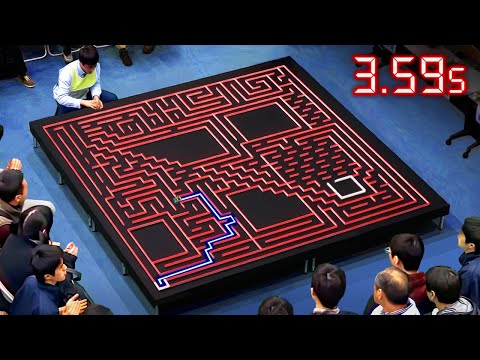
The Fastest Maze-Solving Competition On Earth
Veritasium
Half an hour on where micromouse came from and why the fast mice look the way they do. Start here if you have never seen a run.
youtube.com (opens in a new tab)

Micromouse Software Structure
Peter Harrison, Minos 2023
How to lay the firmware out: what runs in the interrupt, what runs in the main loop, and why mixing the two is the bug you cannot find.
youtube.com (opens in a new tab)

Maze Solving and Search Optimisation
UKMARS, Minos 2020
What to do once flood fill works and you want the search to stop wasting half your eight minutes.
youtube.com (opens in a new tab)

Micromouse Floodfill
UCLA IEEE
Knowing the floodfill.
youtu.be (opens in a new tab)
Whole playlists
- Playlist
Minos: the UK micromouse conference talks
MicroMouse channel
Years of talks by people who build these for a living, on everything from motor choice to maze storage.
youtube.com (opens in a new tab)
- Playlist
Micromouse robot buidling
UCLA IEEE
Learning about the micromouse robot.
youtube.com (opens in a new tab)
Read
Micromouse Online
Peter Harrison
The deepest single archive on the subject: build logs, sensor design, control theory, and the arithmetic behind all of it.
micromouseonline.com (opens in a new tab)
UKMARS
UK Micromouse and Robotics Society
Contest rules, the UKMARSBOT design and a community that answers beginners properly.
ukmars.org (opens in a new tab)
mms, a micromouse simulator
mackorone on GitHub
Write and test your maze solving before the robot exists. Worth a weekend while you wait for parts to arrive.
github.com (opens in a new tab)
Stuck on something this page does not cover? Check the FAQ or ask the committee.